

Monitoring n8n workflows in production: uptime, alerts and backups
n8n is powerful, but a silently broken workflow can break your business. A practical guide to monitoring, alerting and backing up n8n in production — and why 'is the server up?' is the wrong question.

TL;DR — A pingable n8n server tells you almost nothing. Real monitoring for automations answers a different question: did the work happen, correctly, recently? Here's the practical setup — detection, alerting and versioned backups — and why we built FlowVitals to do it for you.
n8n has quietly become critical infrastructure for a lot of small businesses and agencies. Lead routing, billing, onboarding, reporting — all running as workflows. It's earned the trust: the project has passed 194,000 stars on GitHub and raised $180M at a $2.5B valuation as adoption has exploded. With over 400 integrations and native AI nodes, it's become the default way for lean teams to wire their stack together.
The problem is what happens when one of those workflows fails. It usually fails silently. No error page, no angry customer (yet), just a job that didn't run. And if automations are running your business, a silently broken workflow is a silently broken business.
"Is the server up?" is the wrong question
A pingable n8n instance tells you almost nothing. The server can be perfectly healthy while a critical workflow throws errors on every execution, or stops firing entirely because an upstream credential expired. Uptime monitoring was designed for websites, where "the page loads" is most of what users care about. Automations are different. Real monitoring for them answers a different question:
Did the work actually happen, correctly, recently?
That means watching executions, not just availability: success and failure rates, stalled or stuck runs, jobs that should have fired on a schedule but didn't, and runs that error partway through and leave data half-written.
The stakes are not small. According to ITIC's 2024 Hourly Cost of Downtime survey, more than 90% of mid-size and large enterprises now put a single hour of downtime above $300,000, and 41% put it between $1M and $5M+. Most n8n outages are cheaper than that — but the ones routing your leads or your billing absolutely are not.
The three things you need
Monitoring automations well comes down to three capabilities. Miss any one and you have blind spots.
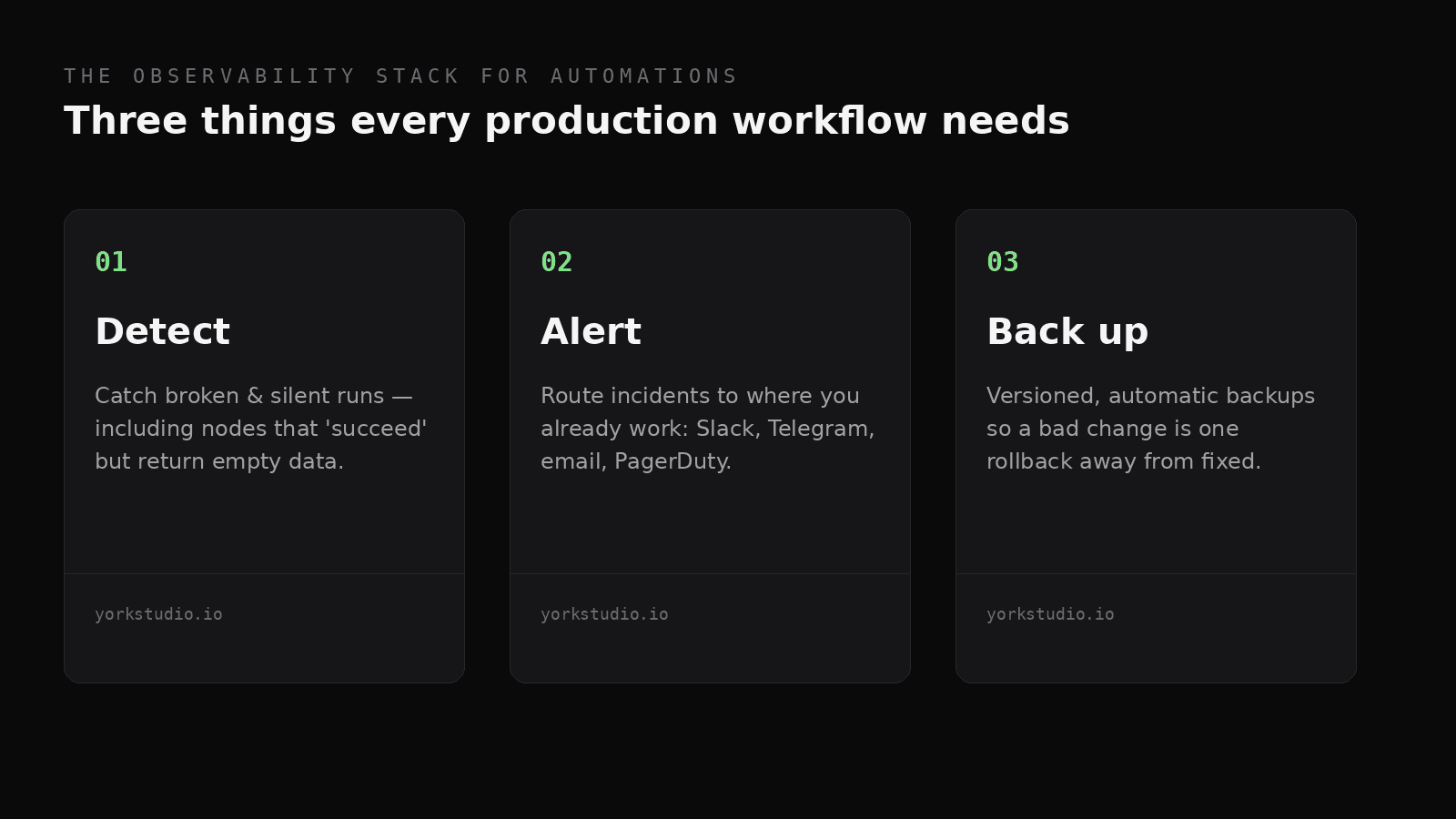
The observability stack for automations: detect, alert, back up.
1. Failure detection
Catch broken and silent runs as they happen — including the subtle ones, like a node that "succeeds" but returns empty data because an upstream API changed its response shape. You want to know on the first failure, not when a customer emails you a week later asking where their onboarding sequence went. n8n itself supports error workflows and error handling, which is the right primitive — but you still need something watching the watcher, across every instance and workflow you run.
2. Alerting where you already work
An alert you don't see is not an alert. Route incidents to the channel you actually watch — Slack, Telegram, email, or PagerDuty — with enough context (which workflow, which node, what error) to act without logging in. The aim is to lower the time between something broke and you know about it to near zero.
3. Versioned backups
Workflows drift. Someone tweaks a node, a deploy goes wrong, and suddenly a flow that worked yesterday doesn't. Automated, versioned backups mean a bad change is always one rollback away from fixed. Backups are also your insurance against losing work outright if an instance dies or a database gets corrupted.
The failure modes that actually bite
In practice, n8n workflows fail in a handful of recognisable ways — and almost none of them show up as "server down":
- Expired credentials. An OAuth token or API key lapses, and every workflow touching that service starts failing. Common, boring, and invisible until someone notices the leads stopped arriving.
- Upstream API changes. A third party renames a field or changes a response shape. Your node still "succeeds" — it just passes empty or malformed data downstream. These silent successes are the most dangerous failures of all.
- Rate limits and throttling. A burst of activity trips a provider's rate limit and executions quietly get dropped or retried into oblivion.
- Partial writes. A workflow errors halfway through, leaving a record created but not updated, or an email sent but not logged. Now your data is inconsistent in a way that's painful to detect later.
- Schedule drift and overlap. A long-running job overlaps its next scheduled run, or a trigger silently stops firing after a restart.
- Version drift. Someone edits a workflow in the UI with no version control. It works for them, breaks in production, and there's no clean way to see what changed.
Notice that every one of these is a question about executions and data, not availability. That's the whole point.
A practical setup
You can assemble most of this yourself. Here's the sequence we'd recommend:
- Inventory your critical workflows. Not everything is mission-critical. Tag the handful that would actually hurt if they stopped — usually anything touching money, leads, or customer communication.
- Define "healthy" for each. Expected run frequency, acceptable failure rate, expected output shape. You can't detect "abnormal" until you've written down "normal."
- Alert on deviation, not noise. One failed run against a flaky third-party API might be fine; five in a row is an incident. Tune thresholds so alerts stay meaningful — alert fatigue is how real incidents get ignored.
- Back up on a schedule and before changes. Keep history so you can diff and roll back. A backup you've never tested restoring is a hope, not a backup.
- Review trends weekly. Slow-growing failure rates are early warnings. A workflow creeping from 1% to 8% failures over a month is telling you something before it becomes an outage.
| Question | Uptime monitoring | Automation monitoring |
|---|---|---|
| Is the server reachable? | Yes | Yes |
| Did the scheduled job run? | No | Yes |
| Did it return the right data? | No | Yes |
| Can I roll back a bad change? | No | Yes (with backups) |
Build it yourself, or buy it back
You can build all of this with n8n's own error workflows, a metrics database, a Slack webhook and a cron-driven backup script. For a single instance and a few workflows, that's a reasonable weekend project. The trouble is that this monitoring stack is itself a set of fragile automations you now have to maintain — and every failure mode above applies to your monitoring as much as to the thing it's monitoring. At some point the time you spend babysitting the watchers is worth more than the cost of having them handled for you. That's the calculation FlowVitals is built around.
Why we built FlowVitals
Wiring all of this together by hand — health checks, alert routing, backup jobs, a dashboard to see it all — is itself a fragile automation. It's exactly the kind of busywork that should be handled for you. That's why we built FlowVitals: it connects to your n8n instances, catches silent errors and broken runs before your customers do, alerts the right channel, and keeps versioned backups so you can always roll back. It's built for agencies and teams running automations in production — the people for whom a quietly broken workflow is a quietly broken business.
This is the studio thesis in miniature: spot the repetitive, fragile, easy-to-neglect work and turn it into software. (We wrote more about that approach in building like a team of one.)
The takeaways
- "Is the server up?" is the wrong question. Ask whether the work happened, correctly, recently.
- You need three things: failure detection, alerting where you work, and versioned backups.
- Define "healthy" per workflow, then alert on deviation — not on every blip.
- Test your restores. An untested backup is a hope.
- If you run automations that matter, the question isn't whether one will break — it's whether you'll find out before your customers do.
Running n8n in production? Get early access to FlowVitals.
References
- n8n (2026). n8n on GitHub and product overview.
- TechCrunch (2025). Fair-code pioneer n8n raises $60M for AI-powered workflow automation.
- ITIC (2024). Hourly Cost of Downtime Report.
- n8n Docs. Error handling.